 Raising
 Child Meltdown When Screen Time Ends: 3 Steps for Ages 4–7
The timer goes off, you reach for the tablet, and the screaming starts. A child meltdown when screen time ends is one of the most common screen questions on forums in the US and Europe. This page is the short version; our longer guides cover the rest.

Why a child meltdown when screen time ends is so common
Short answer: stopping something enjoyable is hard for young children, and many apps and videos are designed to keep people watching. An abrupt ending pulls a child out of something absorbing before they've had a chance to switch.
At ages 4–7, the skill of stopping, waiting, and moving on is still developing. Autoplay and endless feeds make it harder, because the content never offers a natural end. Our guide to the iPad kid explains the design features behind this, from autoplay to surprise rewards. A meltdown at the end doesn't mean your child is addicted. It often reflects a skill that's still developing, and an abrupt ending can make it harder.
What parents argue about
Take it away or set limits. On parenting forums, some parents removed the tablet completely and describe a hard first stretch, then more play and more boredom that turned into play. Others say fixed, predictable limits worked without a ban.
Cold turkey or gradual. Some parents cut screens all at once and ride out the protests. Others reduce slowly, a few minutes at a time.
Reward or separate. Some families use screen time as a reward for chores or reading. Others keep screens out of discipline entirely, saying that taking them away as punishment leads to bigger blowups.
What gets the most agreement: a predictable routine, a warning before the end, and letting the device end the session instead of the parent.
What to do today
1. Agree on the ending before the screen comes on. Use episodes or levels, not open time. Say: "Two episodes, then the iPad goes to sleep." 2. Warn once, about two minutes ahead, then let the device stop. Turn off autoplay and set a limit in the device settings, so the tablet ends the session, not you. Say: "This is the last one. Then the tablet says goodnight." 3. Have the next thing ready. A snack, a game, or going outside, waiting before the screen goes off. Say: "When it's off, we're making pancakes. You can crack the eggs."
Our screen time rules for kids turn these steps into a full family plan, and the iPad kid guide walks through the iPad settings.
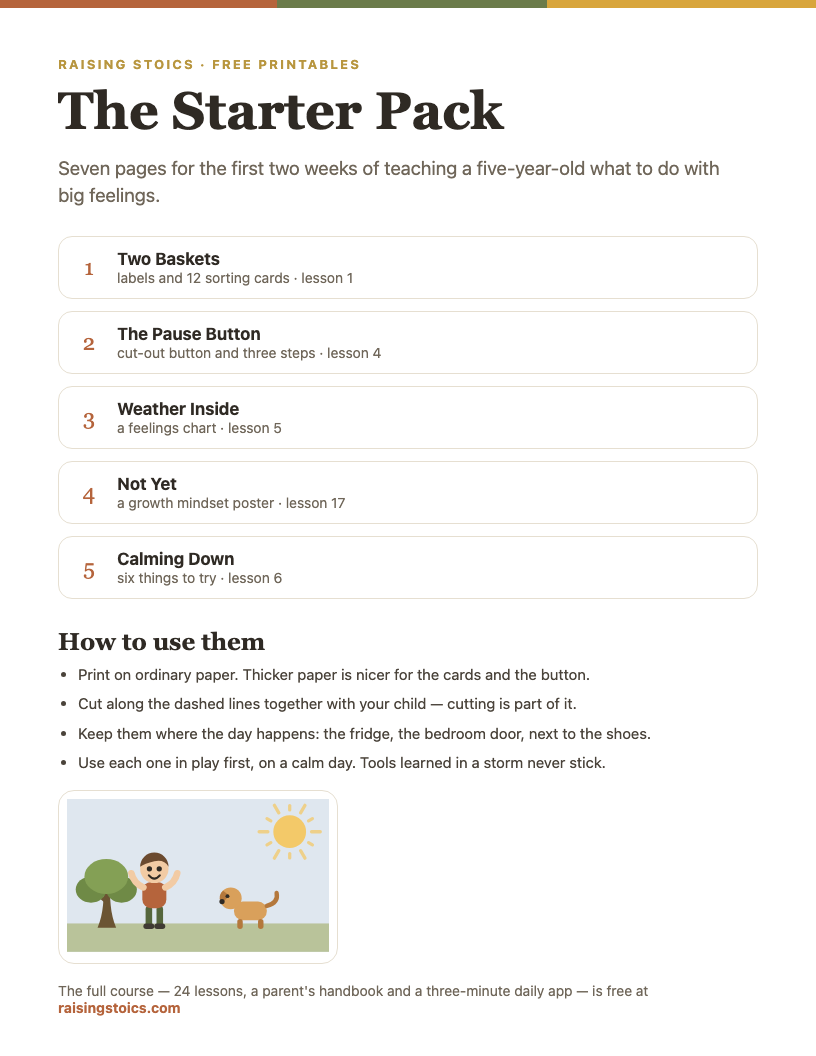
The Big Feelings Starter Pack
Nine pages for the first two weeks: a sorting game, a pause button, a feelings chart and a calm-down poster.
Download the free PDF See all 9 pages
Part of a free 9-page starter pack. Sign in with a code from your email — no password.
What to do in the moment
- Stay calm and keep the limit: "I know. It's hard to stop."
- Don't bargain for more time once the meltdown has started.
- Let your child press the off button or close the cover, if they can.
- When they've calmed down, point out how they recovered.
If the meltdowns are long, our guide to 5-year-old tantrums explains what to do while you wait it out.
When to talk to your pediatrician
Mention it if meltdowns are frequent and severe, if screens are crowding out sleep, play, or meals, or if your child has a hard time with transitions in more than one setting, like school and home. A pediatrician can help you make a family media plan. Our research summary on screen time and behavior covers what studies show.
In the program
In our program, two lessons fit here. "The Pause Button" teaches three steps, stop, breathe, choose, with the phrase "Stop. Breathe. Choose." "Boss of My Want" is about "I want it now," and learning to wait. Your child's app is built the opposite way from most: about three minutes a day, no feed, and it ends by itself. See the program, or read more answers to questions parents often ask.
What parents ask
Paraphrased from questions parents often post on Reddit, Mumsnet, BabyCenter, and other parenting forums.
“Grandparents let my kid use the tablet much longer than I do. How do we handle different rules?”
Short answer: many families agree on a few basics with the other adults, such as no screens right before bed and stopping at the end of an episode, and accept that some details will differ. You can tell your child, "At Grandma's, the rules are different. At our house, this is our rule." Limits set in the tablet's own settings may also help, since they go wherever the tablet goes.
“My 6-year-old screams until I hand the iPad back. Did I make it worse by giving in?”
Short answer: giving in may teach that screaming works, but it's not too late to change course. Decide the ending before the screen comes on, warn once, and let the device stop. When the protest comes, stay calm, keep the limit, and don't bargain. Many parents say the protests are hardest at first and ease once the rule stays the same.
“Should I use the tablet as a reward for chores or reading?”
Short answer: parents disagree. Some families use screen time as a reward and say it works for them. Others keep screens out of rewards and discipline entirely, saying that taking them away leads to bigger blowups. A predictable slot, such as "after snack," may avoid daily bargaining either way. Our screen time rules for kids cover setting one up.
“My child came home with a school Chromebook and now wants it all evening.”
Short answer: ask the teacher what the device is for at home and how long assignments usually take. Then treat it like any other screen: a set time, a shared room, and a clear ending. School devices often come with the school's own settings, so ask which controls are already on and whether you can add limits of your own.
FAQ
Is it normal for a child to cry when screen time ends?
Yes, it's very common at ages 4–7. Stopping something absorbing is hard, especially when the ending is sudden or the content never runs out. A predictable routine, a warning, and a clear next activity usually make the crying shorter. If meltdowns are frequent and severe, mention them to your pediatrician.
Should I take the tablet away completely?
Some families do and report that, after a hard start, their children play more. Others find fixed, predictable limits work just as well without a ban. Either way, consistency matters more than the exact rule. Our guide to screen time rules for kids helps you choose a plan that fits your family.
How do I warn my child before screen time ends?
Give one clear warning while the show or game is still on, tied to something they can see: "After this episode" or "at the end of this level." Then follow through. A visual timer or the device's own limit can help, so the ending doesn't depend on you taking the tablet away.
Why is my child angrier after screen time?
Some children are cranky after screens because the ending is abrupt, they're tired or hungry, or fast-paced content left them wound up. Try slower shows, an ending they can see coming, a snack, and a calm activity right after. If irritability is frequent and spills into other settings, talk to your pediatrician.
Child Afraid of the Dark? Bedtime Fears and What Helps, Ages 4–7
Child afraid of the dark? Why bedtime fears and nightmares are common at ages 4–7, what parents disagree about, and a calm plan to try tonight.
Read next →The lessons "The Pause Button" and "Boss of My Want" help children practice stopping when they'd rather keep going.