 Raising
 Screen Time Rules for Kids: A Simple Family Plan for Ages 4–7
Most fights about screens happen at two moments: when a child asks for one, and when it's time to turn it off. Good screen time rules for kids take the argument out of both. Here is a small set of family rules for children ages 4–7, how to introduce them, and how to hold them without a daily battle.

Screen time rules for kids: eight that cover most families
Short answer: Protect sleep, meals, and play; make the "when" predictable; end at a natural stopping point; and follow the same rules yourself.
1. Screens off before bed and out of bedrooms. Our practical rule: no screens in the hour before bed, and devices sleep outside the bedroom. 2. No screens at meals. For adults too. 3. A predictable "when." Screens happen at set times, not whenever someone asks. 4. Stop at a natural ending. The end of an episode or a level, not the middle. 5. A 2-minute warning and a transition ritual. The screen never just disappears. 6. Parents follow the rules too. 7. Slow content over endless feeds. Shows and games that end by themselves, with autoplay off. 8. Watch together when you can, and talk about what you saw.
If you're starting from nothing, pick two or three, usually bedtime, meals, and the warning, and add the rest later.
How much screen time for kids ages 4–7? What the guidance says now
Short answer: There is no agreed number of hours. Current pediatric advice looks at what children watch and what screens replace more than at the clock.
Earlier guidance did give numbers. In 2016 the American Academy of Pediatrics (AAP) advised limiting screen use for children ages 2–5 to 1 hour per day of high-quality programs. The World Health Organization's 2019 guidelines say sedentary screen time for children ages 2–4 should be no more than 1 hour, and that less is better. Both applied to preschool-age children, so for a 6- or 7-year-old there's no equivalent number.
In 2026 the AAP published a new policy statement, Digital Ecosystems, Children, and Adolescents. It still mentions time limits, but as one tool among several. The emphasis has moved to how media is designed (autoplay, endless feeds, features built to keep children watching), to what screens push out of the day, such as sleep and movement, and to a family media plan.
The research behind that shift is summarized in our brief on screen time and child development. Studies find a small link between more screen time and more behavior problems, but mostly can't show that screens cause them.
So the rules in this article don't set a daily total. They protect sleep, meals, play, and conversation, and let screens fit around those.
Screens out of bedrooms and off at meals
Bedtime. Screens in the hour before bed and devices in the bedroom are linked in many studies to later bedtimes and shorter sleep. A tired 5-year-old may have more meltdowns the next day, about screens and everything else. So the last show ends an hour before lights out, and tablets and phones charge overnight in the kitchen or your room.
Meals. The table is where a lot of everyday conversation happens. Screens off at meals, including the TV in the background and your phone on the table. If that feels hard, start with dinner only.
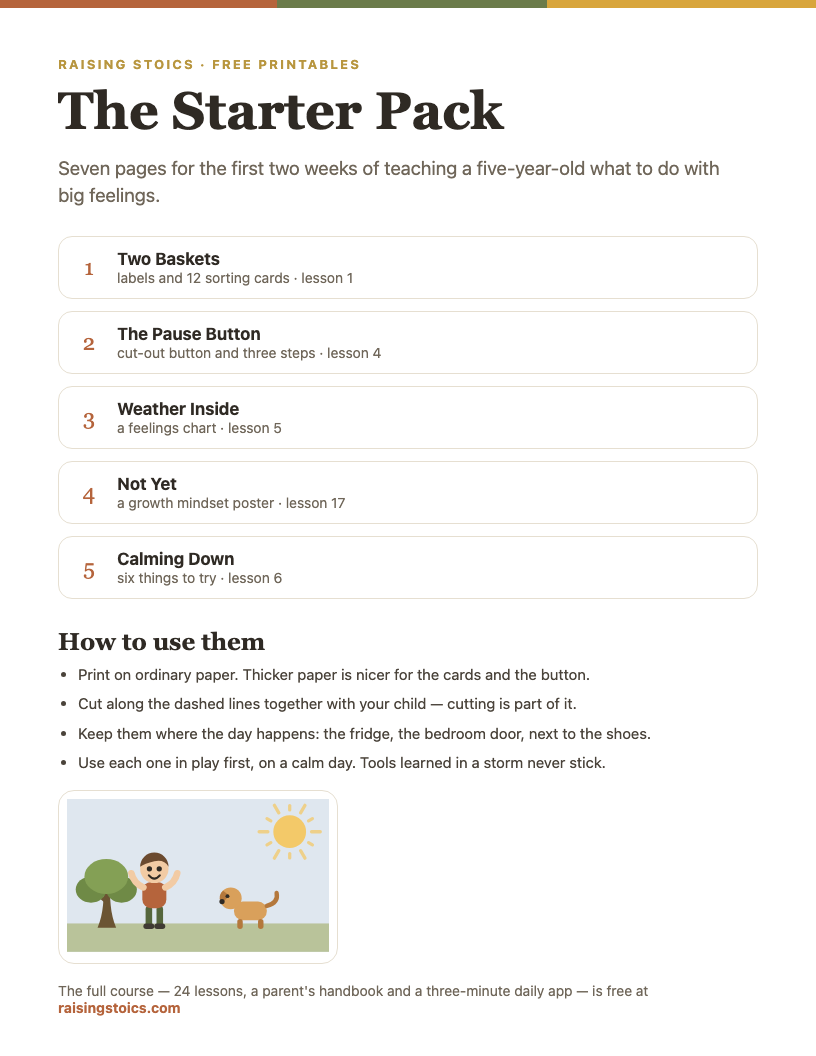
The Big Feelings Starter Pack
Nine pages for the first two weeks: a sorting game, a pause button, a feelings chart and a calm-down poster.
Download the free PDF See all 9 pages
Part of a free 9-page starter pack. Sign in with a code from your email — no password.
How to manage screen time for kids without negotiating every day
Short answer: decide in advance when screens happen, so the answer to "Can I watch something?" is already known.
If screens might happen at any moment, it's worth asking all the time, and every "no" feels like a decision a child can try to change. A predictable "when" removes most of those negotiations.
Pick a slot that fits your day: after the after-school snack, while you cook dinner, Saturday morning. Make it the same most days. Then "Can I have the tablet?" gets the same calm answer every time: "After snack, like always." You're not refusing; you're pointing to the plan.
A picture schedule on the fridge, with a TV symbol at one point in the day, helps a 4- or 5-year-old see when it's coming.
Waiting for the slot is also practice. A child who knows the show comes after snack is learning to wait for something they want, the same skill covered in our guide on how to teach kids patience.
Ending screen time without a meltdown
Turning a screen off is one of the most common triggers for tantrums at this age. Three habits help.
Stop at a natural ending. Agree on the unit before it starts: "one episode," "until you finish this level." Being pulled out mid-scene or mid-level feels like losing something. An ending the child can see coming is much easier to accept.
Give a warning about two minutes ahead. "Two minutes, then the tablet goes to sleep." Say it once, close to them, while they can still look at you. A warning can help a child prepare for the change instead of having it happen to them.
Add a transition ritual. Something small and the same every time: the child presses the off button themselves, the tablet goes in its basket, and you move straight into the next thing, like a snack, a walk, or a game. Having a next thing matters.
If the upset comes anyway, it's a big feeling, not a failure of the rule. Our list of calm down strategies covers what to do in the moment.
Choosing what they watch: slow shows, no autoplay, and watching together
A gentle show watched with a parent and autoplaying short videos alone count as the same minutes, but research and the AAP treat them differently.
Prefer media that ends. Shows with a clear end, games with levels that finish, and apps without endless feeds. Turn off autoplay on every service your child uses. Without it, the end of an episode is a real stopping point, not a two-second countdown to the next one.
Slow over fast. Very fast content built to hold attention may be harder to switch off.
Watch together when you can. Sitting with them for part of a show and asking "What do you think she'll do?" or "Why was he upset?" turns watching into a conversation. Research suggests young children learn more from media when an adult talks with them about it.
Where your settings allow it, make the defaults do the work: turn autoplay off, use a kids profile, and hide the apps you don't want them in. Our parental control guides walk through the settings device by device.
How to introduce the rules: a family screen agreement
Rules a child helped write are easier for them to follow. The AAP suggests a family media plan for the same reason: boundaries that fit your family's routines and values.
Pick a calm time, not right after a fight over the tablet.
Start with why, in one sentence. "Screens are fun, and we also need sleep, play, and time together. So we're making some family rules."
Let them have real input. You decide the big things, such as bedtime and meals. They can choose smaller ones: which show goes in the slot, where the tablet sleeps, what the transition ritual is, what the family does instead at dinner.
Write it down and make it look good. A short list, in big letters, with a drawing next to each rule. For example:
- Tablets sleep in the kitchen.
- No screens at the table. Grown-ups too.
- Screens after snack.
- We stop at the end of the episode.
- Two-minute warning, then I press off.
Let your child decorate it and sign it, and sign it yourself. Put it on the fridge. When a rule comes up, point to the list instead of explaining again.
Review it in a few weeks. Ask what's working. When a watch or first phone comes later, the same agreement can grow with it; see what age should a kid get a phone.
When they push back: Two Baskets and the Pause Button
Even good rules meet protest. Two simple ideas help.
Two Baskets. Some things are up to us; some aren't. Draw two baskets with your child, or use two real ones. When the screen ends, sort it out loud: "The timer isn't up to you. It's in the other basket. What you do next is in your basket. You can be sad and still press off." Their choice isn't the rule; it's how they respond to it.
The Pause Button. Practice it together when everyone is calm: press an imaginary button on your chest, stop, take one slow breath, then choose what to do. Then use it at the moment the screen ends: "Pause button. Breathe. Now, snack or Lego?"
And keep the rule itself steady. If a big enough protest gets one more episode, a child learns that protest works. You can be warm about the feeling and firm about the rule at the same time: "I know. You really wanted to see what happens. It'll be there tomorrow."
How to limit screen time for kids when you use screens too
A rule against phones at the table won't hold for long if your phone is next to your plate.
Researchers use the word "technoference" for the small interruptions caused by adults' devices during meals, play, and conversation. Some studies have linked more of it to more behavior difficulties in young children, although the direction of cause is hard to pin down.
A few changes are easy to start with. Keep your phone away during meals and bedtime. Turn off the TV when nobody is watching it.
And let the family rules bind you too. If the bedroom rule is for everyone, your child sees it as a family habit, not a punishment for being little. If you break one, say so out loud.
Screen time rules for travel, sick days, and weekends
Rules can bend for special situations without falling apart, as long as the change is announced and has an end.
Travel. On a long flight or drive, more screen time is a reasonable tool. Say so in advance: "On the plane, you can watch more than usual. At home, we go back to our rules." Download a few shows that end by themselves.
Sick days. A child with a fever on the couch may watch more than usual, and that's fine. Choose calm shows, and return to the usual rules once they're better.
Weekends. Many families keep a slightly different weekend slot, such as a longer show on Saturday morning or a family movie night. Write the weekend version on the family list so it's part of the plan, not a fresh negotiation every Saturday.
What to do when a rule breaks
It will happen, by you or by them. One broken rule doesn't undo the system.
Name it briefly, without blame. "Looks like the tablet stayed in your room last night. Tonight it sleeps in the kitchen." No lecture.
Go back to the plan next time. Consistency over weeks matters more than any single day.
If the same rule keeps breaking, look at the rule. Maybe the slot is at a bad time, the warning is too short, or the show they love doesn't have clear endings. Change it together and update the list.
Watch the bigger picture. If screens seem to be crowding out sleep, play, and time together, or ending them leads to big upsets most days, it's worth stepping back. Our article on the "iPad kid" worry looks at that situation.
What parents ask
Paraphrased from questions parents often post on Reddit, Mumsnet, BabyCenter, and other parenting forums.
“We limit screens and my kid says everyone else gets more. Will they be left out?”
Short answer: many parents hear this. Often it means a few children. Your rules are about your family. Children may still enjoy talking about shows with friends, so a few shared favorites in the family slot can help. Inviting a friend over for play without screens is another way to stay connected.
“How do I set one screen rule for kids who are 4, 7, and 9?”
Short answer: many families keep the big rules the same for everyone, such as no screens at meals and screens out of bedrooms, and let the details vary by age. An older child might watch a different show once the youngest is in bed. You can say plainly, "Everyone gets what they need," and write the family list so each child can see their part.
“Does an educational app still count as screen time?”
Short answer: it's still time on a screen, but current pediatric guidance puts more weight on what children watch and what screens replace than on the clock alone. A slow, educational show watched with a parent is different from an endless feed. Many families fit educational apps into the usual slot rather than adding extra time for them.
“My kid is up at 6 and wants the TV right away. Is morning TV a bad idea?”
Short answer: it depends on your mornings. Some families find that TV before school makes it harder to get dressed and eat, so they keep screens off until everyone is ready. A small basket of quiet toys or books for early wake-ups may give your child something to do. See breakfast ideas for kids for morning routines.
FAQ
Why is screen time bad for kids?
Screen time isn't bad in itself, but a lot of it can push out things young children need most: sleep, active and imaginative play, and conversation with adults. Studies find small links between more screen time and more behavior problems, without showing that screens cause them. Fast, engagement-driven content and screens close to bedtime raise more concern than a gentle show watched together.
Should parents limit screen time for kids?
Yes, some limits usually help, but they don't have to be a strict number of minutes. The AAP's 2026 statement moves beyond hour limits to the design and content of media, to what screens crowd out, such as sleep and play, and to a family media plan that fits your routines. Clear, predictable rules often cause fewer fights than an hour count that has to be checked and argued about.
How much screen time is too much for kids?
There's no exact cutoff. A more useful test is what screens are replacing. If your child is short on sleep, rarely plays actively or outside, spends little time talking with adults, or ending screen time leads to big upsets most days, it may be worth cutting back, whatever the minutes say. If those things are in place, a show or a game fits in comfortably.
How many hours of screen time is healthy for kids?
There is no agreed healthy number of hours for young children, and the evidence behind older limits was mostly observational. Earlier advice did suggest limits: the AAP's 2016 guidance said 1 hour per day of high-quality programs for ages 2–5. The 2026 statement treats time limits as one consideration among several and puts more weight on content, design, and family routines. For a child ages 4–7, protecting sleep, play, meals, and conversation matters more than an exact figure.
iPad Kid: What It Means and How to Help Your Child Unplug
What is an iPad kid? What the slang means, why tablets grab young kids, and how to help ages 4–7 switch off, from routines to iPad settings.
Read next →Two Baskets and the Pause Button are lessons 1 and 4 of the program, the same tools that help when the screen has to go off.